

Step by step
What is Home Assistant?
Discover automations, voice, apps, brands, ESPHome and cameras in a connected home with Home Assistant — what the hub does and why it is the centre of this site.
Imagine saying "movie time" and watching the TV turn on, the curtains close and the lights take on the colour you chose. Or walking into the hallway at night and finding a soft light that stays on only while you need it.
Home Assistant brings compatible devices together and turns those ideas into controls, scenes and automations. It is free, open source and prioritises local control. Home Assistant OS (HAOS) takes care of installation, updates and Apps: it is the path this guide follows.
One dashboard for the whole house#
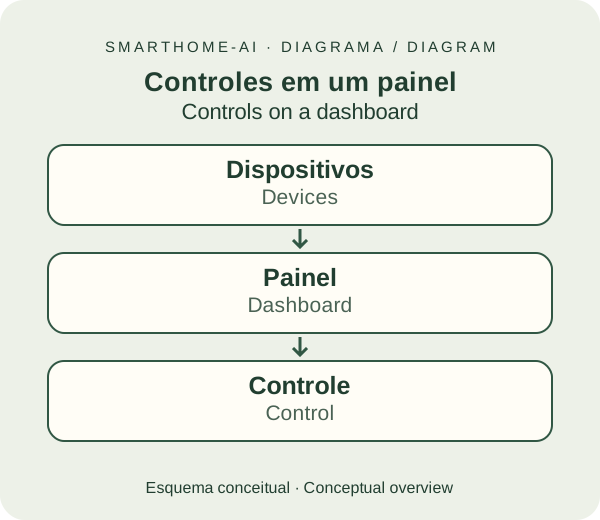
Lights, TVs, air conditioners, fans, thermostats, switches, plugs, curtains and alarms can all appear on the same dashboard. You choose the rooms, the controls and the information that make sense for your family.
RGBCCT combines RGB colours with adjustable white temperature. A compatible bulb or strip can give you white light for working, a warm tone for dinner and colours for a movie night. Brightness and features depend on the product.
You control it from the browser, the phone, by voice or through automations. A command to an air conditioner can go through a network integration or a compatible infrared blaster; in the latter case, there is not always confirmation of the appliance's real state.
Brands talk to each other through Home Assistant#
The official catalogue lists more than 1,500 integrations. They connect brands, devices and services; nothing has to come from the same manufacturer.











How does each brand connect?
- LGwebOS TVs with local control; ThinQ appliances use another, cloud-based integration.
- SamsungCompatible TVs over the local network; other devices may use SmartThings, in the cloud.
- Tuya / Smart LifeThe official integration uses the cloud. Compatible Zigbee devices can join ZHA directly.
- AqaraCompatible Zigbee sensors through ZHA; Matter or HomeKit products take another route.
- SonyCompatible Bravia TVs: volume, inputs and playback, depending on the model.
- EveHomeKit accessories through HomeKit Device; Matter versions through the Matter integration.
- Tapo / TP-LinkSupported plugs, switches, lights and cameras; check the list and the authentication.
- ReolinkLocal video and events on supported models; battery devices have their own requirements.
- IntelbrasCameras with compatible ONVIF Profile S or an RTSP stream. Not the whole line offers these.
- Philips HueLocal lights and scenes through the Hue Bridge. Compatible Zigbee bulbs can also use ZHA.
- EpsonCompatible network projectors: power and input selection for the movie scene.
Before buying, check the model, firmware and available functions. One integration can serve several brands; one brand can use several integrations.
Logo credits · Trademarks belong to their owners. Examples only, no official affiliation.
An LG TV, an Aqara sensor and a Philips Hue light can take part in the same automation. Compatibility is about the model and the function, not just the brand. LG webOS and Samsung TVs have local options; LG ThinQ and SmartThings use the cloud in their respective integrations.
Light scenes: the same room, six moods#
Once the bulbs are chosen, what truly changes the house are the scenes. Click or tap the images or buttons to simulate RGB, daylight white, reading, morning, sunset and night lighting.
RGBCCT puts two things into one bulb or LED strip: RGB, the colored LEDs, and CCT (correlated color temperature), white LEDs that range from candle-like warm white to midday-sky cool white. It is measured in kelvin (K): 2,200 K is amber, 2,700 K is the classic incandescent bulb, 4,000 K is neutral and 6,500 K is bluish white. Color changes the mood; white temperature changes how much the room feels like morning or night.
A scene is a named set of saved states: which lights turn on, in which color, brightness and temperature. It is what turns fixed decor into decor that changes through the day. Click or tap the image or buttons to switch the applied scene. The simulation uses color filters over AI-generated images: the point is to show the effect, not to reproduce a product.
Game mode
RGB strips in the ceiling cove and behind the TV; the cove becomes a frame of light.
Gradient cove
Magenta on one side, blue on the other: addressable strips paint the whole wall.
Four scenes, one room
Day, dusk, party and night: the same furniture, four different rooms.
Movie night
Bias light behind the TV and a lit sofa plinth: guides your steps without glare.
Morning, sunset and night
From cool white to deep blue, the same room follows the day outside.
Lounge
A light-washed curtain and colored lamps: every fixture joins the scene.
AI-generated images for SmartHome-AI; simulated scenes. Real colors, brightness and transitions depend on the product and integration.
Five scenes worth creating
Sunrise
Starts at 1% and 2,200 K and slowly rises to 60% and 4,000 K over 20 minutes before the alarm. Use transition in the light action or the Adaptive Lighting integration, which follows the sun by itself.
Daylight and reading
Neutral to cool white (4,000–5,500 K) at high brightness for work and reading. Strips behind shelves and under cabinets give even light without harsh shadows.
Sunset
At dusk, amber tones (2,200–2,700 K) at 30–40%, with a hint of orange in the cove. A sunset trigger in the automation keeps the home in step with the season.
Home cinema
TV or projector on, curtains closed, bias light behind the screen and a strip of light along the floor. When the movie pauses, the lights come up a little; when it resumes, they dim again.
Night light
Between 1% and 5% at 1,800–2,200 K, turned on by a presence sensor in the small hours and off after two minutes. Lights the way without waking anyone.
In Home Assistant, create scenes in the visual editor and call them from automations, buttons or voice. Scenes in Home Assistant · Light actions and transition · Adaptive Lighting
Home cinema
The ritual in one tap.
The movie scene is the classic example because it involves several devices at once: the media player (TV, Apple TV, projector) turns on and picks the input, the blind closes, the air conditioner adjusts and the lights take on the evening tone. In Home Assistant this becomes a script or a scene with a few seconds of transition, triggered by a physical button, the dashboard, Siri or a phrase in Assist.
Bias light behind the TV reduces the contrast between the bright screen and the dark wall. The cinema reference is neutral 6,500 K white at low brightness; for ambience, many people prefer color. Systems such as Hue Play HDMI Sync or addressable strips running WLED can follow the movie’s colors; Home Assistant still handles the rest of the scene.
A simple automation closes the loop: when the media player state changes to paused, the lights rise to 30% over two seconds; when it returns to playing, they dim again. When the TV turns off, the “Night” scene takes over.

Music Assistant
The soundtrack of your home.
Music Assistant is an Open Home Foundation project that works as a single music library for the home. It installs as an App in HAOS (or in Docker) and brings services such as Spotify, Apple Music, YouTube Music, Tidal, Deezer, Qobuz, radio, podcasts and local files into one interface.
On the other side, it plays on almost any speaker: Sonos, Google Cast, AirPlay (HomePod and Apple TV), DLNA, Squeezelite and even an ESP32 running ESPHome, with synchronized multi-room groups. The official Home Assistant integration exposes every player as a media player, lets you move the queue between rooms and pauses music for voice announcements.
It completes the scene: “Sunset” can light the cove in amber and start a mellow playlist at 20% volume in the living room; “Home cinema” mutes the kitchen speakers before the movie starts. With Assist, you can ask for a song by voice and it lands on the player in the room you are in.
Automations: the fun part#
Think of three questions: when does it happen, under which conditions, and what should be done? The visual editor organises exactly that.
- On arrival: turn on the entrance light if it is already dark.
- When a window opens: pause the climate control, if the integration allows it.
- At dusk: close the curtains and choose cosy lighting.
- When someone is at the gate: send a notification with an image, using a compatible camera or NVR.
- On leaving: warn if any door or window was left open.
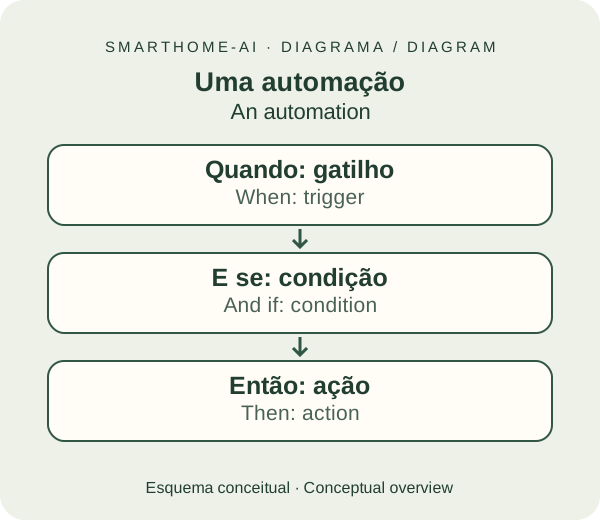
A scene stores desired states, such as the lights and curtains for the movie. An automation decides when to apply those states. You can create both through the screens. Blueprints are reusable templates for certain automations: pick a trusted one and fill in the devices it asks for.
Create your first automation without code (in Portuguese).
Alexa, Google Nest and Assist: you can talk#
You can use Alexa on an Echo or Google Assistant on a Google Nest to operate the devices and scenes you expose. Home Assistant Cloud, by Nabu Casa, simplifies that connection. These services depend on the internet and have their own limits on device types and commands.
Assist is Home Assistant's own voice assistant. It works on the phone and on dedicated hardware. With suitable processing power, language and hardware, it can run locally; it can also use the voice services of Home Assistant Cloud.
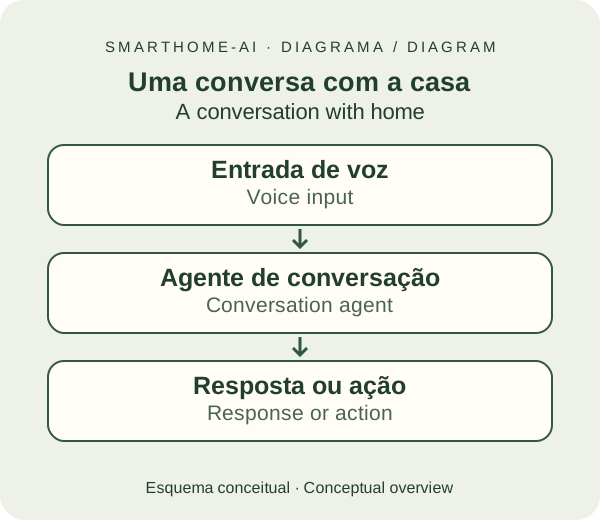
There are also voice satellites built with ESP32 and ESPHome, such as the ATOM Echo. They capture your speech and forward it to Home Assistant. An ordinary ESP32 board needs the right audio components; the ATOM-S3 with a screen is not, by itself, that kit.
The app in your pocket, the house within reach#
The Home Assistant Companion app, for iOS and Android, shows your dashboard and can receive alerts. On an iPhone, iPad or Android you check sensors, control devices and watch the integrated cameras.
With your permission, the phone can also report location and other sensors for automations. At home, the connection can be local. Away from home, you need a configured remote-access path, such as Home Assistant Cloud or a VPN. The app does not replace the hub that stays on at home.
Nabu Casa: convenience and support for the project#
The optional Home Assistant Cloud subscription offers encrypted remote access without opening router ports, an easier connection to Alexa and Google, cloud backup and voice processing for Assist.
Nabu Casa is the commercial partner of the Open Home Foundation, the organisation behind the Home Assistant and ESPHome projects. The subscription helps fund that development. You can use local automations without subscribing.
See the benefits and the setup screens (in Portuguese).

What about Apple Home fans?#
The Apple Home / HomeKit ecosystem is more closed, with its own compatibility criteria. The HomeKit Bridge integration brings supported Home Assistant functions to the Home app and Siri, including devices without native HomeKit support.
You choose what to share. Not every feature has an equivalent in the Home app. For remote access through it, you need a compatible Apple home hub, such as a HomePod or Apple TV. Matter accessories widen interoperability.
Connect Home Assistant to the Home app (in Portuguese).
IoT and DIY: build what is missing#
IoT is the internet of things: connected objects exchanging information, including inside your local network. DIY is doing it yourself. An ESP32 board can become a temperature sensor, a scene button or a small wall panel.
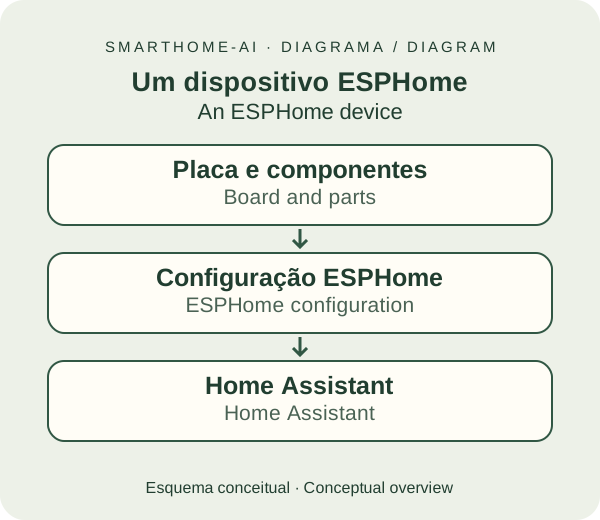
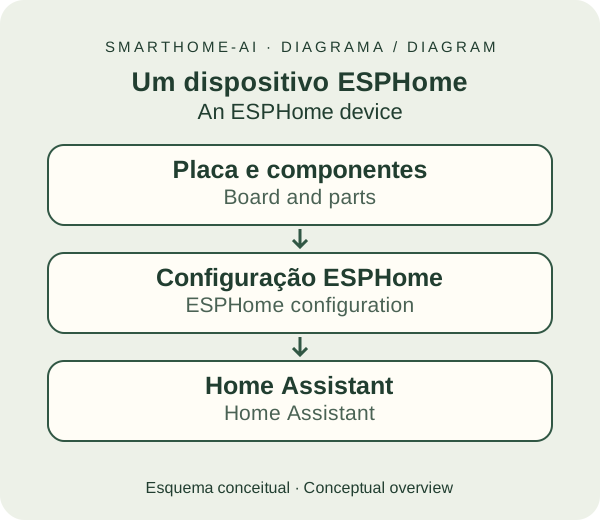
ESPHome, an Open Home Foundation project supported by Nabu Casa, provides the Device Builder App on HAOS. The wizard creates an initial configuration. Ready-made projects help you get started; customisation usually means YAML, a description of the device, without writing a C++ program.
An AI assistant can explain the options, propose a configuration and help you understand errors. That makes learning more accessible, but you still need to check the board, the pins and the documentation, and validate before flashing. Start with a USB-powered, low-voltage project.
Meet ESPHome through the screens. There you'll find ready-made examples to copy: a Bluetooth Proxy with the ATOM-S3, an infrared receiver, a Thread device (NanoC6), a touchscreen panel (weather & controls) a Thread display with temperature/humidity (C6-GEEK) a 7" wall panel for the whole home (Waveshare 7B) a voice assistant with a display (AtomS3R + Echo Base) and an RFID/NFC reader with a display (AtomS3R + RFID 2).

Cameras that help you understand what is going on#
Seeing the image on the dashboard is already useful. An NVR, a system that records and organises the video, adds history and events. Frigate can detect people, cars and animals depending on the AI model, and feed events to Home Assistant.
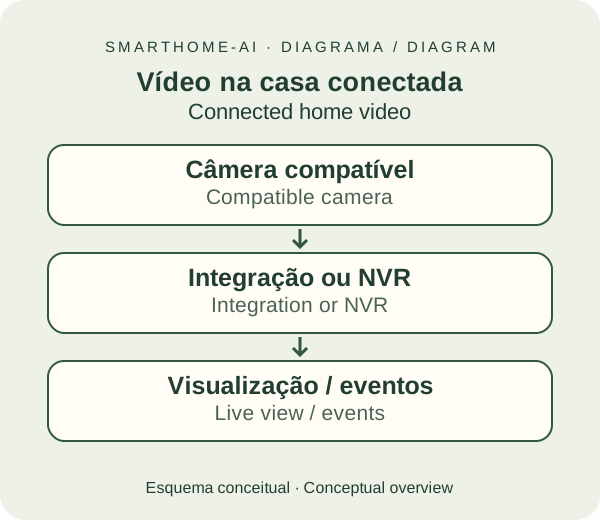

Face recognition compares faces against a registered library and can run locally on compatible hardware. Vision models can describe actions, such as someone leaving a box, using local or cloud processing depending on the provider.
These features are extras, require configuration and can make mistakes. Use them to enrich notifications; do not let them decide on their own to unlock doors or disarm alarms. Recording and analysing several cameras needs properly sized storage and processing.
See the next steps for cameras and AI (in Portuguese).
Local, remote and automatic: each in its place#
Local: with local devices and integrations, the rules keep running without the internet, as long as the hub, the network and the devices are powered. Cloud integrations still depend on external services.
Remote: you reach the hub from outside through a configured, protected connection. That usually requires internet on both ends.
Automatic: sensors, schedules and events start rules on the hub without you opening the app.
Zigbee and Thread are especially interesting for battery sensors: low power and a mesh network. Suitable devices can repeat the signal. They need a proper hub or border router; Wi-Fi and Ethernet remain useful for cameras, TVs and heavier traffic. We will cover this later, starting with ZHA + ZBT-2.
Take the first step#
You do not have to do all of this today. Choose a hub, connect one light and create one rule. The best part is growing at your own pace.
Choose the hardware · Install HAOS · Understand Zigbee.
References: integration catalogue, automations, scenes, Assist, apps, HomeKit Bridge, Nabu Casa, ESPHome and Frigate.
