
About
About SmartHome-AI
I created SmartHome-AI to share my installation, photographs and smart home guides using Home Assistant.

I created SmartHome-AI to share what I learn while building my smart home and bring together my installation records, photographs and guides.
My commitment is to explain the why before the how, with guidance for beginners and examples that need to be adapted to each home.
Editorial principles#
- Local first. The cloud is a convenience, never a dependency.
- Open source whenever possible. Home Assistant, ESPHome, Zigbee2MQTT, Frigate, Scrypted.
- No sponsored lists. When a product is named, it is because it solves a described problem.
- Plan B matters. Every automation must work — or fail safely — when something goes down.
- Respect for the people living there. Automation that annoys the household is bad automation.
Topics covered#
- Home Assistant — the platform
- ESPHome and ESP32 (PT) — devices you build yourself
- Zigbee and ZHA, Zigbee2MQTT (PT) and the ZBT-1 / ZBT-2 dongles
- Matter and Thread (PT) — the standard that crosses ecosystems
- MQTT (PT) — the postal service of the smart home
- Apple HomeKit (PT) — iPhone, Siri and Apple TV
- Scrypted, Frigate and cameras (PT) and AI cameras (PT)
- Claude and MCP (PT) and OpenClaw (PT) — AI at home
- Hardware (PT), networking (PT) and CasaOS / umbrelOS (PT)


About the language#
The beginner library includes English guides; links marked PT lead to Brazilian Portuguese pages that do not yet have an English edition. Configuration examples still need to be adapted to your setup, including entity IDs and any text used in labels or notifications.
How this site is built#
I built this static site with HTML, CSS and JavaScript without frameworks, using a Python generator for Markdown files, versioned on GitHub and published on Cloudflare. There is no reader registration or site database. I use Google Analytics for traffic metrics and included Google AdSense integration for advertising, subject to Google's site approval. Advertising does not determine my topics or editorial recommendations. See the Privacy policy for cookies, third-party services and your control options.
The generator lives in build.py, with separate modules for visual components and the Markdown
library as its declared dependency. Content is stored as .md files under content/. After installing
requirements.txt, run python3 build.py to generate dist/ and python3 scripts/check.py to check
internal links and templates before publishing.
Who I am#


I am Álvaro Menezes, an enthusiast of home automation, Home Assistant, ESP32 and local systems. I write these guides and share the installation I built at home.
My other channels#
I also run AI-generated video projects that are not directly related to smart homes. I keep their links here, outside the guides, for anyone curious:
Equipment used at home#
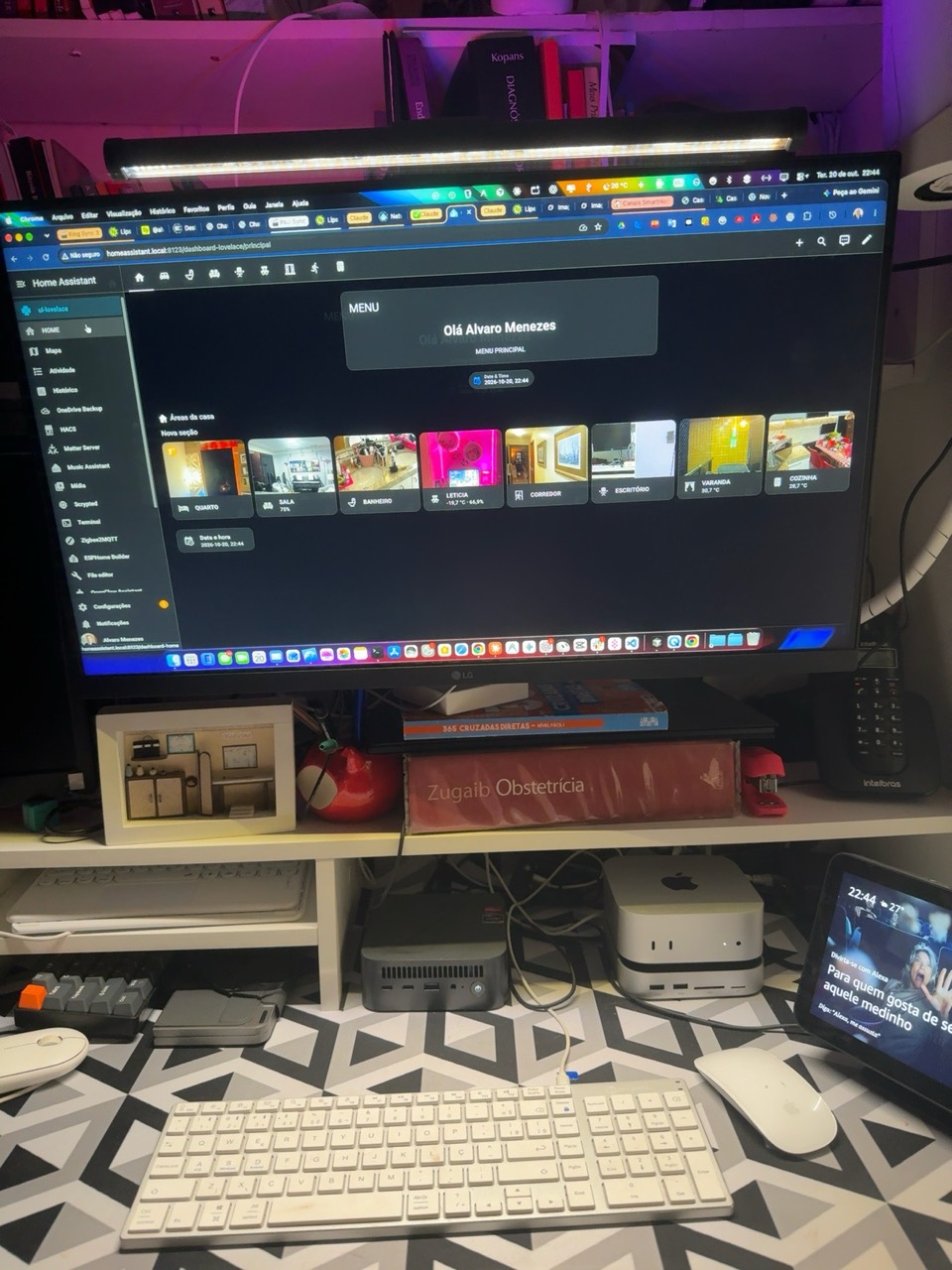
I use Home Assistant OS on a mini-PC with a Ryzen 7 processor, Zemismart Zigbee smart switches and Philips Hue Zigbee lights.
I control my Zigbee network from Home Assistant through Zigbee2MQTT, with the ZBT-2 from Nabu Casa as the coordinator.
My Thread network is shared with Apple's Thread network. I use the ZBT-1 as the Thread radio adapter, separate from the ZBT-2 used for Zigbee.
In my living room, a Zemismart smart plug controls the room's lights. I use Philips Hue in the living room and the primary suite. I operate the lights from my phone using Apple Home (HomeKit), by voice through Alexa, and directly through Home Assistant.
This is my installation, not a list of products I subjected to comparative tests. I still need to document the exact models of the other devices here. I do not present this list as a compatibility guarantee for a purchase.
I use several devices I identified as Echo Dot Max and one Echo Studio Max in the living room. I connect Alexa to Home Assistant through Nabu Casa. I also use two Apple TV 4K devices as Apple HomeKit home hubs.
I also have a Broadlink IR and RF controller, pictured beside the Zemismart Zigbee switches in my installation report (PT).
LED strips#
I control my installation's LED strips with WLED over Wi-Fi.
Cameras#
I use Tapo TC70, Intelbras iM4 and an Intelbras DVR. In my setup, I describe the image path as cameras → Home Assistant → Scrypted → HomeKit Secure Video. I still need to document the DVR model, video source and Scrypted plugins here; this arrangement is not a universal procedure for other installations.
Installation record#
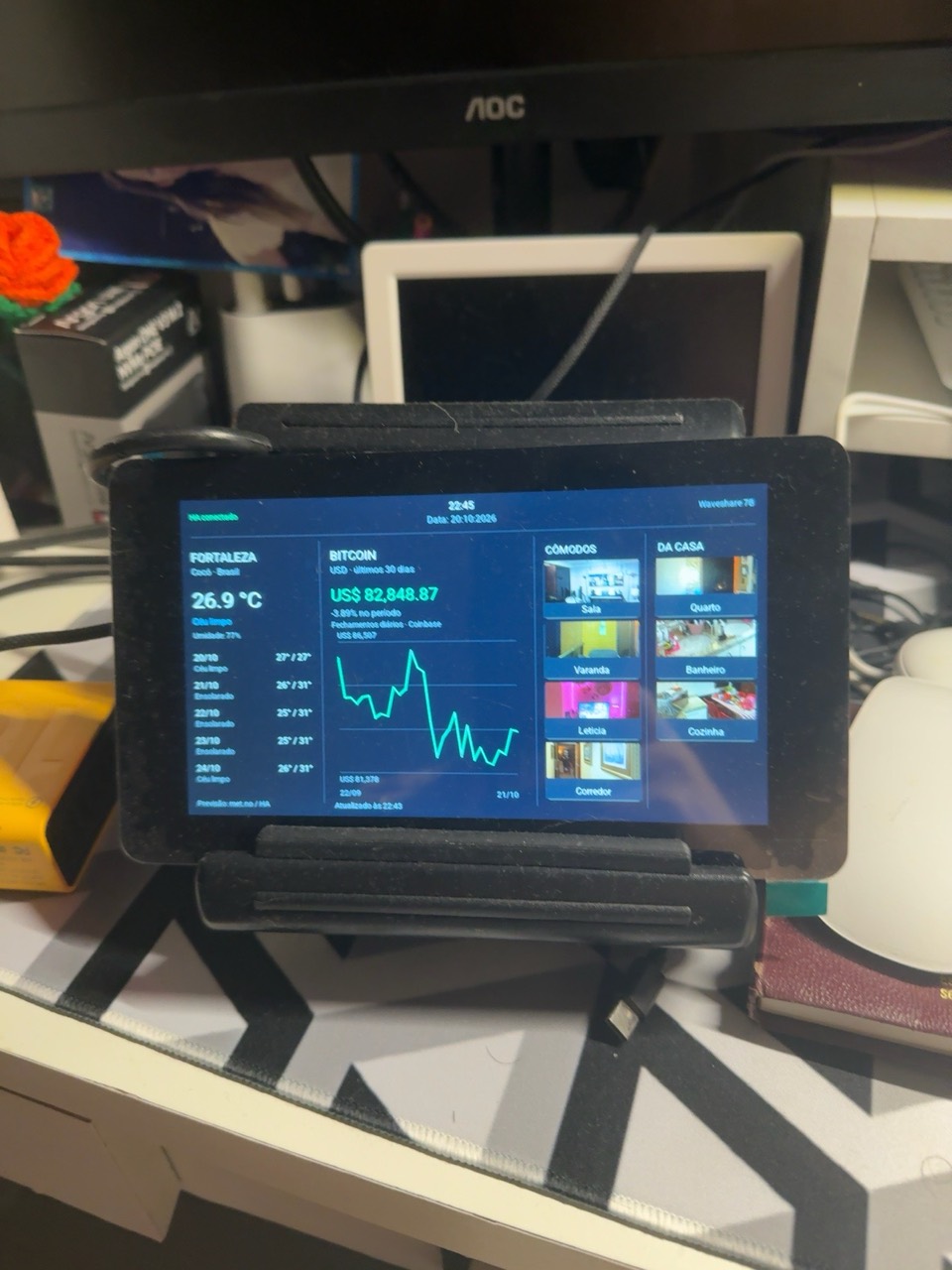
See the installation photo report (in Portuguese), including the mini-PC, Mac mini M4, ESP32-S3 display configured with ESPHome, Apple TV and Roborock robot vacuum. The setup also includes a Philips Hue hub.
Inside the living room#
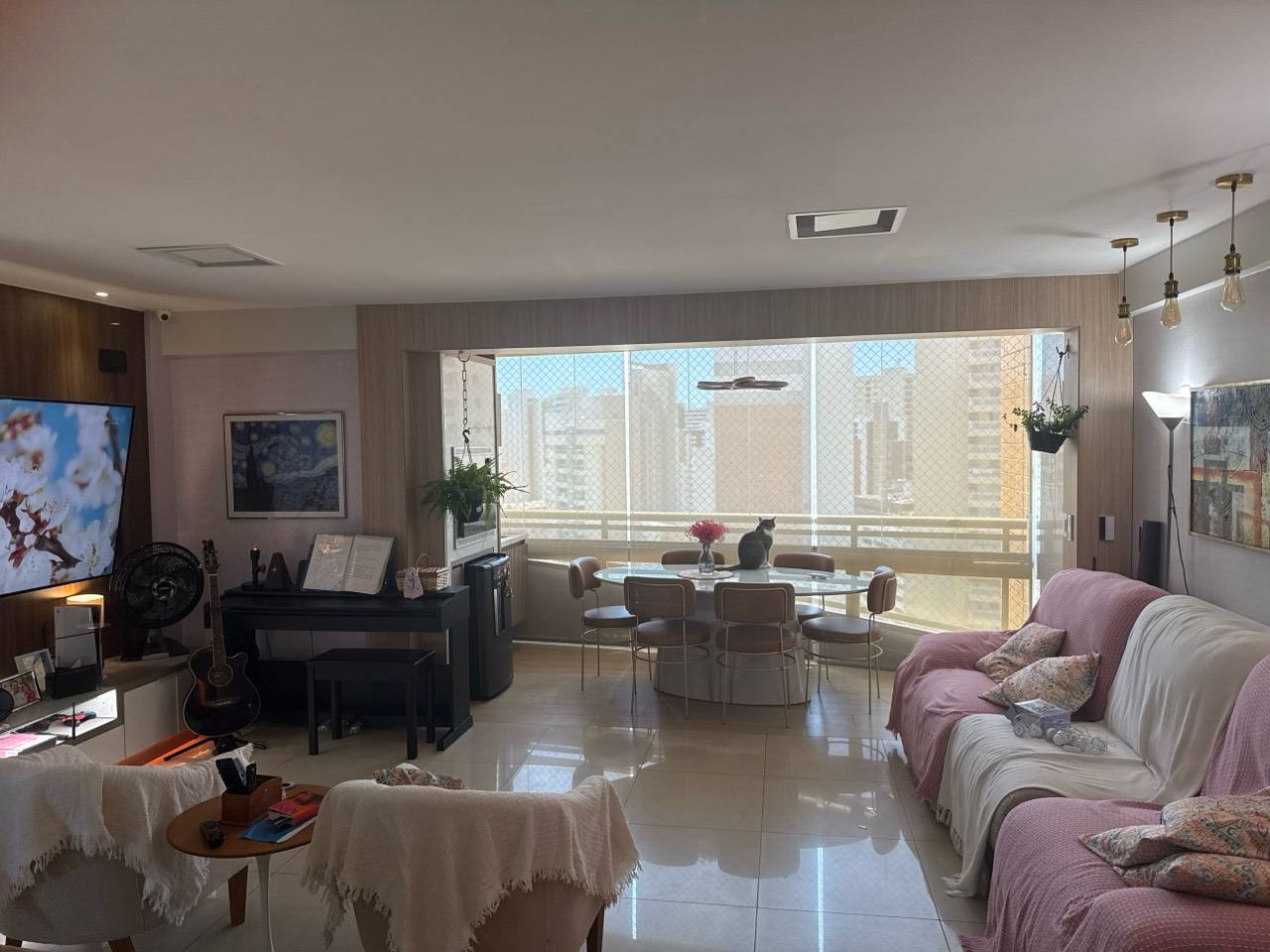
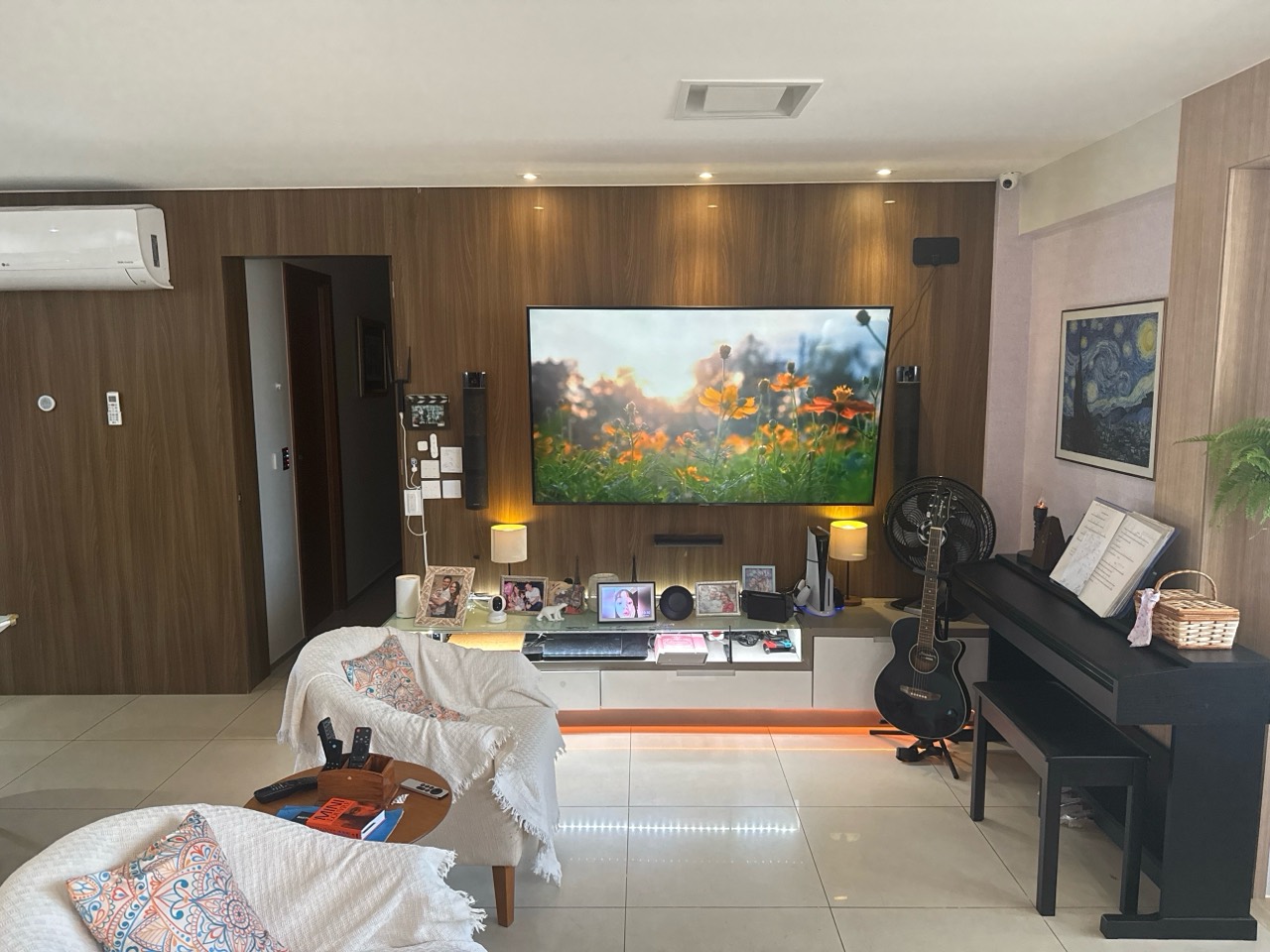
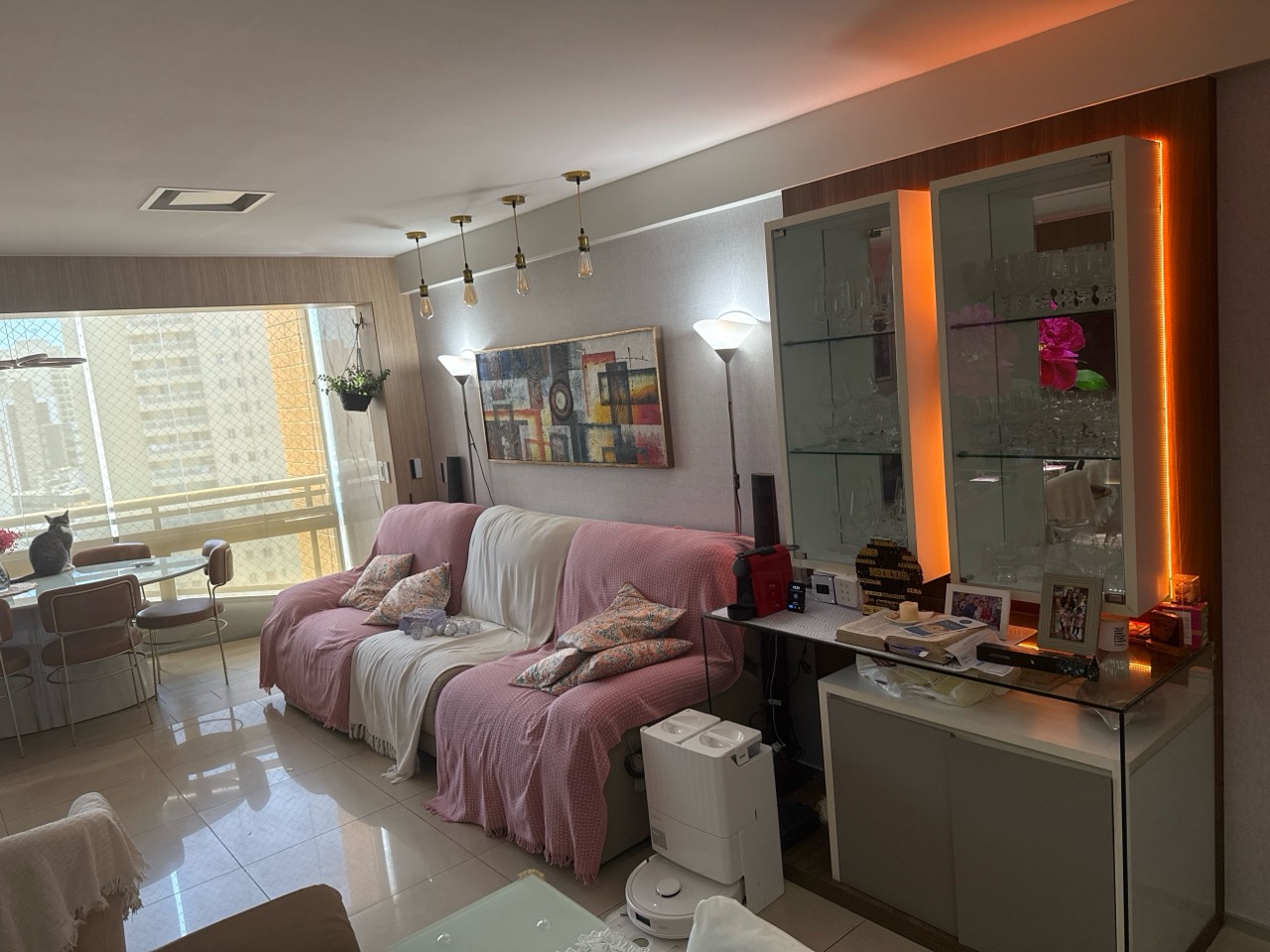
These are photographs of my living room: lighting around the TV wall, lamps and accent lighting on furniture. I control the LED strips with WLED over Wi-Fi and use Apple Home, Alexa and Home Assistant to operate the lights. The photographs show the rooms and equipment; integration details belong in the corresponding guides.
How to read these guides#
Original diagrams are conceptual overviews, not interface screenshots or drawings of commercial models. Official instructions are linked beside the illustrations. Configuration examples and test plans need to be adapted to your installation. An educational example does not establish compatibility with every device.
In my reports, I distinguish equipment I use from configurations and results I have documented. Where those details are absent, I offer guidance based on the cited sources rather than a product test. You can consult the public change history and submit corrections using the contact details below.
Contact and corrections#
Found an error, have a suggestion or want to request a topic? Corrections are very welcome — this site is maintained in the open and improves with the people who read it.
Reach me by e-mail at [email protected].
Read next
Sensors with ESPHome and ESP32
Build temperature, presence and energy sensors with ESP32 and ESPHome, without coding in C: components, your first project and Home Assistant integration.
Read the guide DIY & firmwareESPHome examples
Complete, ready-to-copy ESPHome configurations — a Bluetooth Proxy, an IR receiver, Thread devices and displays — for your Home Assistant.
Read the guide Aprofundamentoin PortugueseAprofundamento: para depois do básico
Roteiro para a segunda fase: tipos de instalação, Zigbee2MQTT, câmeras com Scrypted e Frigate, ESPHome, MQTT, rede, acesso remoto, IA e manutenção.
Read the guide